Virtual Top-Up (VTU) APIs have made it possible for developers to build websites that sell airtime, mobile data, electricity tokens, cable TV subscriptions, examination PINs, and other digital services automatically.
If you’re building a VTU platform using PHP, integrating a VTU API is easier than you might think. In this tutorial, you’ll learn the complete process of connecting a PHP website to a VTU API, from obtaining API credentials to handling API responses securely.
Whether you’re creating a new VTU business or adding digital services to an existing website, this guide will help you get started.
What You’ll Need
Before you begin, make sure you have:
- A PHP website
- PHP 7.4 or later
- cURL enabled
- SSL (HTTPS)
- A MySQL database
- A VTU API account
- Your API Key or Access Token
Step 1: Register with a VTU API Provider
Choose a trusted VTU API provider and create an account.
After registration, you’ll typically receive:
- API Key
- Secret Key (if applicable)
- Base API URL
- API Documentation
Keep these credentials private and never expose them in your frontend code.
Step 2: Create a Configuration File
Create a configuration file to store your API credentials.
Example:
<?php

define('API_KEY', 'YOUR_API_KEY');
define('BASE_URL', 'https://api.example.com');
Never hardcode sensitive credentials throughout your application.
Step 3: Build a Recharge Form
Create a simple HTML form where users can submit:
- Network
- Phone Number
- Amount
- Transaction Reference
Example:
<form method="POST">
    <input type="text" name="phone" placeholder="Phone Number">

    <select name="network">
        <option value="MTN">MTN</option>
        <option value="AIRTEL">Airtel</option>
        <option value="GLO">Glo</option>
        <option value="9MOBILE">9mobile</option>
    </select>

    <input type="number" name="amount">

    <button type="submit">
        Buy Airtime
    </button>
</form>
Step 4: Validate User Input
Always validate:
- Phone number
- Network
- Amount
- Wallet balance
- Transaction reference
Never trust data submitted by users.
Step 5: Send the API Request Using cURL
PHP cURL is commonly used to communicate with VTU APIs.
Example:
$payload = [
    "network" => "MTN",
    "phone" => "08031234567",
    "amount" => 1000,
    "reference" => uniqid()
];

$curl = curl_init();

curl_setopt_array($curl, [
    CURLOPT_URL => BASE_URL."/airtime",
    CURLOPT_RETURNTRANSFER => true,
    CURLOPT_POST => true,
    CURLOPT_HTTPHEADER => [
        "Authorization: Bearer ".API_KEY,
        "Content-Type: application/json"
    ],
    CURLOPT_POSTFIELDS => json_encode($payload)
]);

$response = curl_exec($curl);

curl_close($curl);

$result = json_decode($response, true);
Step 6: Check the API Response
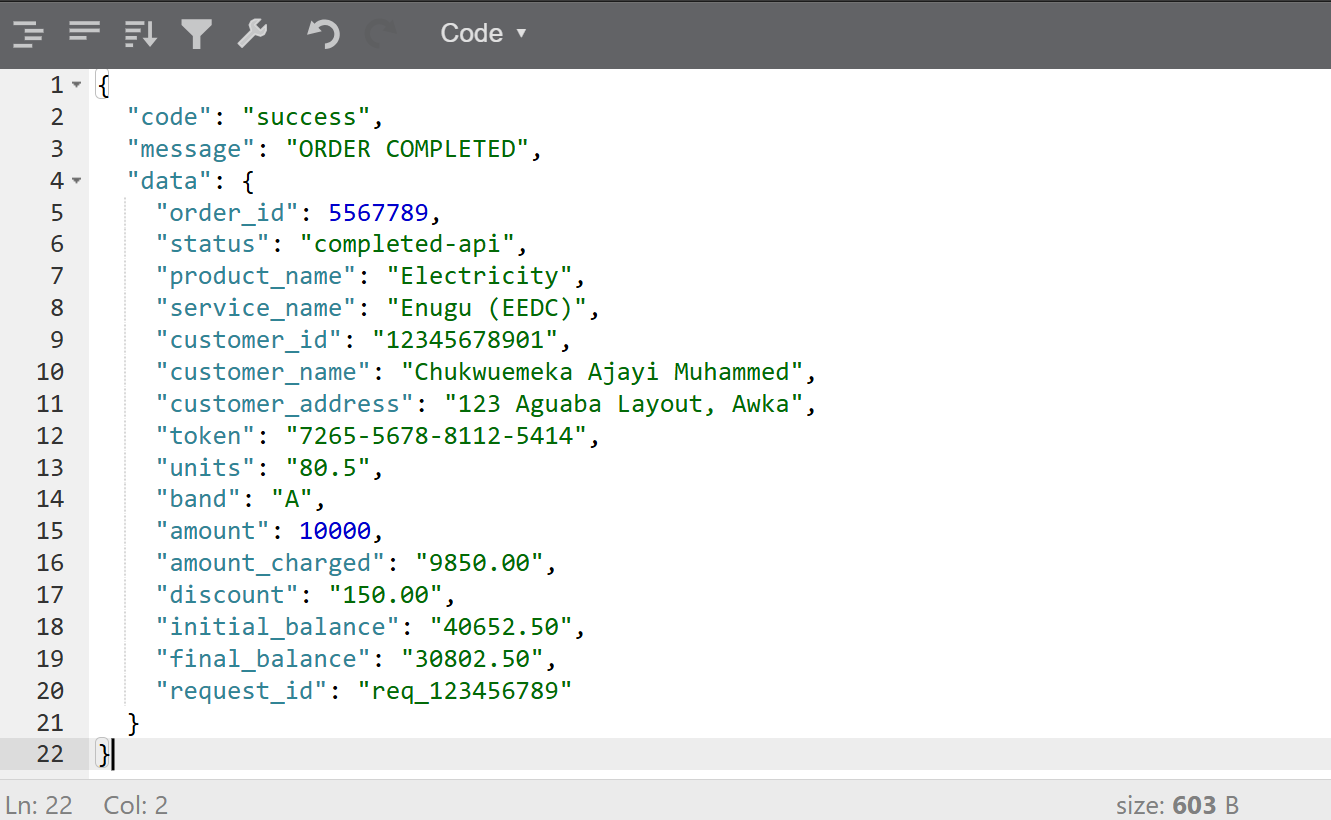
A successful response may look like:
{
    "status":"success",
    "message":"Recharge Successful",
    "reference":"TRX123456"
}
Your PHP application should verify:
- Status
- Transaction reference
- Message
- Amount
Only update the user’s wallet after confirming the transaction was successful.
Step 7: Save the Transaction
Store important information in your database:
- User ID
- Phone Number
- Network
- Amount
- API Reference
- Status
- Date
This allows users to view their transaction history later.
Step 8: Display the Result
After processing the response:
If successful:
Recharge SuccessfulIf failed:
Transaction Failed

Please try again later.
Provide meaningful messages to help users understand what happened.
Step 9: Handle Errors
Common API errors include:
- Invalid API Key
- Insufficient Balance
- Invalid Phone Number
- Invalid Network
- Duplicate Transaction
- Server Timeout
Always catch these errors gracefully instead of showing raw system messages.
Step 10: Secure Your Application
Follow these best practices:
- Store API keys securely.
- Use HTTPS for all requests.
- Validate all user inputs.
- Generate unique transaction references.
- Verify API responses before updating balances.
- Log all API requests and responses.
- Prevent duplicate submissions.
- Rate-limit sensitive endpoints where appropriate.
Security is critical when handling financial transactions.
Common Mistakes
Avoid these common issues:
- Hardcoding API keys in public files
- Skipping response verification
- Updating wallets before API confirmation
- Ignoring timeout handling
- Not logging failed transactions
- Allowing duplicate requests
Fixing these mistakes early will make your platform more reliable.
Testing Your Integration
Before launching:
- Test airtime purchases.
- Test data subscriptions.
- Test invalid phone numbers.
- Test insufficient balance.
- Test duplicate transaction references.
- Test network failures.
- Verify database records.
Comprehensive testing helps prevent problems in production.
Conclusion
Integrating a VTU API into a PHP website is a straightforward process when you follow the right steps. By securely storing your API credentials, validating user input, sending requests with cURL, handling responses correctly, and implementing proper error handling, you can build a reliable VTU platform.
In future tutorials, we’ll explore advanced topics such as integrating VTU APIs with Laravel, processing webhooks, implementing wallet systems, securing payment workflows, and building a complete, production-ready VTU application.