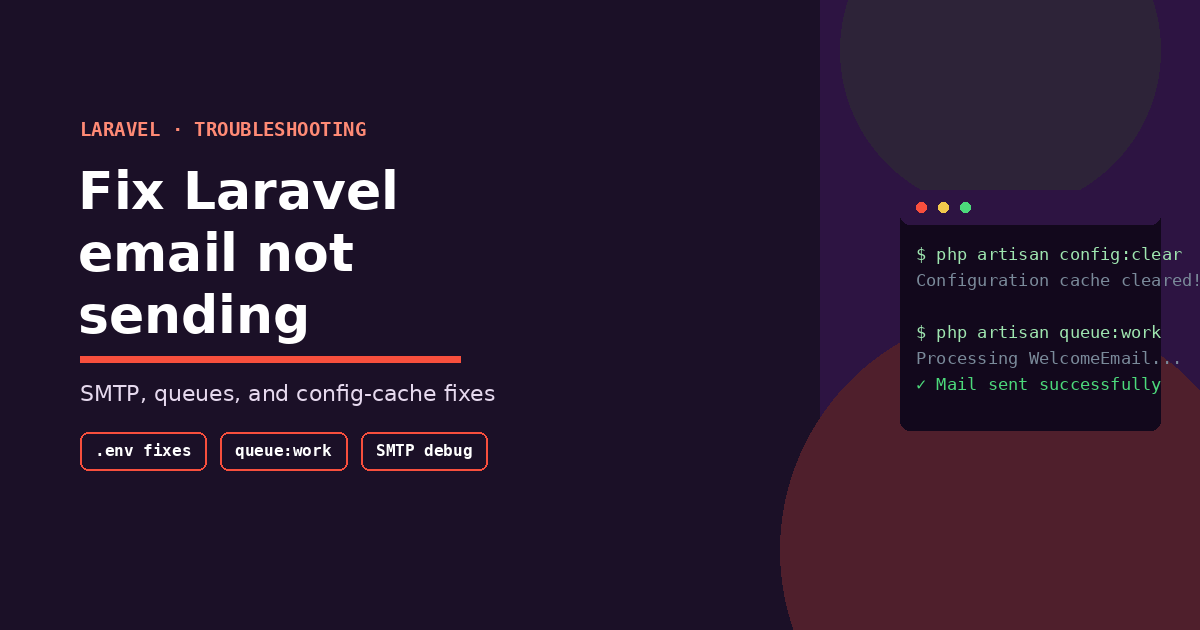
Most “Laravel email not sending” cases come down to one of five causes: a cached config still holding old .env values, a queued mailable whose queue worker isn’t actually running, wrong SMTP credentials or port, a missing or unverified sender domain with your mail provider, or a silent failure that’s easy to miss because Laravel didn’t throw a visible error. Work through these in order — start with php artisan config:clear, confirm your queue worker is running if you’re queuing mail, then verify credentials against your provider’s dashboard. The sections below cover each cause in detail, plus provider-specific gotchas for Gmail, Mailgun, and SES.
Step 0: Confirm It’s Actually a Sending Problem
Before touching configuration, rule out the easy false alarm: switch your mailer to the log driver temporarily and check whether the email content shows up in storage/logs/laravel.log.
MAIL_MAILER=logIf the email appears in the log, Laravel’s mail system itself is working — the problem is downstream, in your SMTP connection or provider setup. If nothing shows up in the log either, the issue is happening before mail even gets dispatched (a queue job silently failing, or the Mail::send() call never being reached).
The 8 Most Common Causes
1. Cached Configuration Still Holding Old .env Values
This is the single most common cause, especially after deploying or editing .env on an existing project. Laravel caches configuration for performance, and once cached, changes to .env are silently ignored until the cache is cleared.
Fix:
php artisan config:clear
php artisan config:cache
Run config:clear first to confirm the fix, then re-run config:cache if your production setup expects a cached config (many do, for performance). Forgetting the second step just reintroduces the same problem on the next deploy.
2. Mail Is Queued, But No Queue Worker Is Running
If your mailable implements ShouldQueue, or you’re calling Mail::to($user)->queue(new WelcomeEmail()), the email doesn’t send immediately — it’s pushed onto a queue and waits for a worker to process it. If no worker is running (extremely common in local development, and a frequent oversight after deploying to production), the job just sits there indefinitely.
Fix:
php artisan queue:workFor production, run this under a process manager like Supervisor so it restarts automatically if it crashes. Check failed_jobs in your database too — if a job threw an exception, it’ll often land there instead of retrying silently forever:
php artisan queue:failed3. Wrong SMTP Host, Port, or Encryption Setting
A mismatched port/encryption pair is one of the most common single points of failure. The standard combinations:
| Port | Encryption | Notes |
|---|---|---|
| 587 | TLS | Most common modern default |
| 465 | SSL | Older but still widely supported |
| 25 | None | Frequently blocked by hosts and ISPs — avoid if possible |
Fix: Double-check your .env against exactly what your mail provider’s documentation specifies — don’t assume 587/TLS is universal, since some providers (and some hosts, which block outbound port 25 entirely) have specific requirements:
MAIL_MAILER=smtp
MAIL_HOST=smtp.yourprovider.com
MAIL_PORT=587
MAIL_USERNAME=your_username
MAIL_PASSWORD=your_password
MAIL_ENCRYPTION=tls
MAIL_FROM_ADDRESS="hello@yourdomain.com"
MAIL_FROM_NAME="${APP_NAME}"
4. Credentials Are Correct But the “From” Address Isn’t Verified
Many transactional email providers (Mailgun, SES, Postmark, SendGrid) reject or silently drop mail if the MAIL_FROM_ADDRESS domain isn’t verified in that provider’s dashboard — even if your SMTP username and password are completely correct. This produces a particularly confusing failure mode: no PHP error, but nothing arrives.
Fix: Log into your provider’s dashboard and confirm the sending domain is verified, with SPF/DKIM DNS records properly set. This is provider-side configuration, not a Laravel bug, and it’s easy to overlook because the failure looks identical to a code problem.
5. Using Mail::send() and Swallowing the Error
Older code patterns (and some tutorials still in circulation) wrap Mail::send() in a way that quietly discards exceptions. If you’re not seeing errors anywhere despite mail not going out, wrap your send call to force the exception to surface:
try {
    Mail::to($user->email)->send(new WelcomeEmail($user));
} catch (\Exception $e) {
    Log::error('Mail send failed: ' . $e->getMessage());
}
If this suddenly reveals an exception you weren’t seeing before, you’ve found your root cause — check storage/logs/laravel.log for the actual underlying error.
6. Firewall or Host Blocking Outbound SMTP
Some shared hosting environments and cloud providers block outbound connections on common SMTP ports by default, particularly port 25. Your local development environment sending fine while production silently fails is a strong signal this is the issue.
Fix: Check with your hosting provider whether outbound SMTP is blocked, and if so, whether they require using an internal relay or a specific allowed port. Many managed hosts have documentation on this exact scenario since it’s such a common support request.
7. Config Not Reloading After a .env Edit on a Running Process
If you’re running Laravel via php artisan serve, Octane, or a long-running worker process, editing .env doesn’t take effect until that process restarts — it read the environment once at boot and is still holding the old values in memory.
Fix: Restart the relevant process (php artisan queue:restart for queue workers specifically signals workers to finish their current job and reboot with fresh config, without needing to manually kill them).
8. Testing With Real Email Providers That Rate-Limit or Flag New Senders
If you’re testing directly against Gmail, Outlook, or a similar consumer provider’s SMTP rather than a transactional provider, you may hit rate limits, app-password requirements (Gmail specifically requires an app password rather than your normal account password when 2FA is enabled), or spam filtering that silently drops test messages.
Fix: For anything beyond quick local testing, use a dedicated transactional email provider (Mailgun, Postmark, SES, Resend) rather than a personal Gmail/Outlook account — they’re built for this and give you delivery logs to actually debug against.
A Practical Debugging Checklist
Work through these in order — most issues resolve within the first three steps:
- Run
php artisan config:clear— rule out stale cached config - Switch to
MAIL_MAILER=logand confirm the email content appears instorage/logs/laravel.log - If using
ShouldQueue, confirmphp artisan queue:workis actually running, and checkphp artisan queue:failedfor silently failed jobs - Verify
.envSMTP host, port, and encryption exactly match your provider’s current documentation - Confirm your sending domain is verified with SPF/DKIM in your provider’s dashboard
- Wrap your send call in a try/catch and log the actual exception rather than assuming a silent failure means “nothing happened”
- Check whether your host blocks outbound SMTP ports, especially if local sends but production doesn’t
- Restart any long-running process (
queue:restart, or your app server) after editing.env
Frequently Asked Questions
Why does Laravel show no error at all when email fails? Queued mail failures often fail silently from the request’s perspective, since the actual send happens later in a separate worker process — check storage/logs/laravel.log and the failed_jobs table rather than expecting an error in your original request/response cycle.
Why does email work locally but not in production? This is almost always either a blocked outbound SMTP port on the production host, a cached config still holding old .env values from before a recent change, or a queue worker that isn’t running in production the way it is in local dev via queue:work.
Do I need to restart anything after changing MAIL_ variables in .env? Yes, if config is cached (php artisan config:cache) or a long-running process (queue worker, Octane) already loaded the old values — run config:clear and queue:restart (or restart the process) to pick up the change.
Is it safe to use my personal Gmail account for sending app emails? For quick local testing, yes with an app password, but not for anything production-facing — Gmail’s sending limits and spam heuristics aren’t built for transactional application email. Use a dedicated provider like Mailgun, Postmark, or SES instead.
How do I see the exact SMTP error Laravel is hitting? Wrap your Mail::send() or Mail::queue() call in a try/catch, log $e->getMessage(), and check storage/logs/laravel.log — the underlying Symfony Mailer exception usually names the exact SMTP response code and reason.