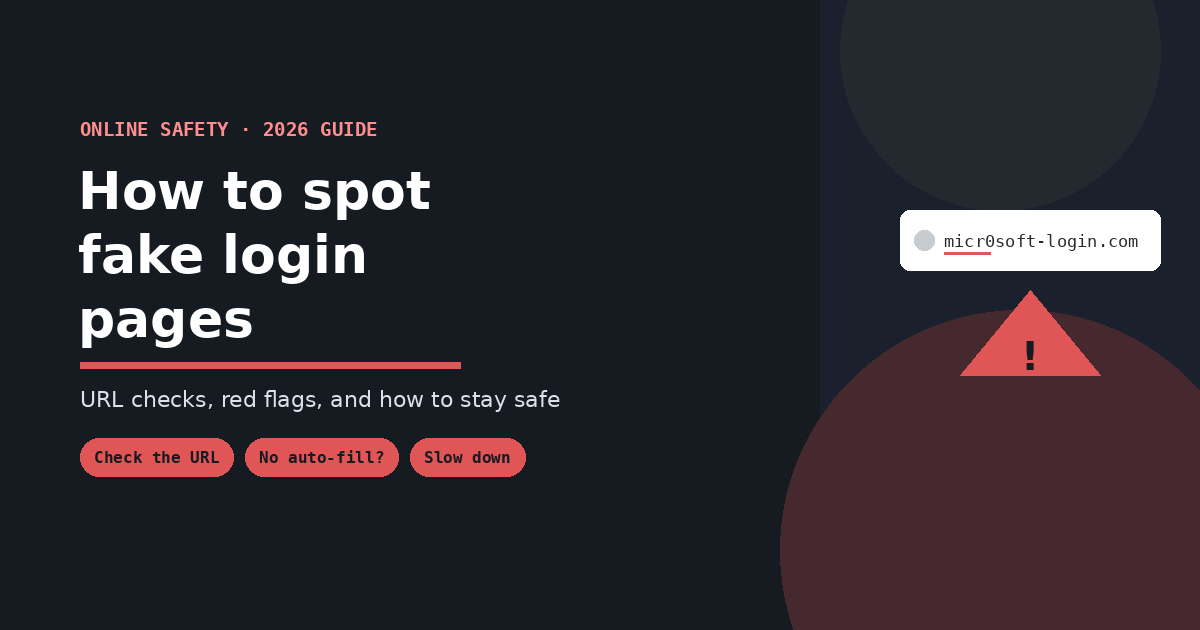
The single most reliable check is the web address, not how the page looks. Attackers can clone a login page pixel-for-pixel, but they can’t put your credentials on the real domain. Before typing anything, check the URL carefully for lookalike domains (micros0ft-login.com, apple-id-verify.net), notice whether your password manager offers to autofill — it won’t on a fake domain, even a convincing one — and be suspicious of any login prompt you reached by clicking a link from an urgent message rather than navigating there yourself. A padlock icon and “https://” mean the connection is encrypted, not that the site is legitimate; the vast majority of phishing pages use HTTPS too.
Why This Got Harder in 2026
The old advice — look for bad grammar, mismatched logos, awkward phrasing — is far less reliable than it used to be. Attackers now use AI tools to generate flawless, well-formatted messages and pixel-accurate page clones, so the visual and language cues that used to give phishing away are increasingly absent. The domain and behavioral checks below matter more now precisely because the surface-level tells have largely disappeared.
8 Ways to Spot a Fake Login Page
1. Check the Actual URL, Character by Character
This is the check that matters most. Attackers rely on you glancing at a URL and recognizing the “shape” of it rather than reading it carefully. Common tricks:
- Character swaps:
micr0soft.com(zero for “o”),paypaI.com(capital I for lowercase “l”) - Extra words:
apple-id-verify.net,yourbank-secure-login.com - Wrong domain structure:
yourbank.secure-access.co— the real brand name appears, but as a subdomain of an unrelated domain, not the actual company’s domain
Read the domain slowly, right before the first single slash (/). That’s the only part that tells you who actually controls the page.
2. Notice Whether Your Password Manager Offers to Autofill
This is one of the most reliable technical signals available, and most people don’t realize they have it. Password managers match saved credentials to the exact domain they were saved on. If you land on a page that should be your bank or email provider, and your password manager doesn’t recognize it and offer to fill in your login — even though the page looks completely right — that’s a serious red flag. It’s not being finicky; it’s telling you this isn’t the domain you actually saved a password for.
3. Ask How You Got There
Legitimate login prompts are usually something you sought out — you opened your banking app, or typed the address yourself, or clicked a bookmark. Phishing prompts almost always arrive via a message engineered to create urgency: a suspended account, a failed payment, a document awaiting review. If a link or QR code in an unexpected message took you to a login page, slow down before entering anything. Attackers count on speed — the median time between someone receiving a phishing link and clicking it has been measured at roughly 21 seconds, which is far too fast for careful reading.
4. Don’t Trust the Padlock Icon Alone
A huge share of phishing sites now use HTTPS and display a padlock, since free SSL certificates are trivial to obtain. The padlock confirms your connection to the page is encrypted — it says nothing about who owns the page. Treat “https://” as a baseline, not a safety signal.
5. Check What the Page Is Asking For
A legitimate login page asks for your username and password — that’s it. If a page is also asking for your card number, a one-time verification code, your date of birth, or security question answers all on the same screen, that’s unusual for a standard sign-in flow and worth treating with suspicion. Real services rarely bundle that much sensitive information into a single login form.
6. Test the Other Links on the Page
Attackers focus their effort on the login form itself and often neglect the rest of the page. Try clicking the footer links — “About,” “Privacy Policy,” “Help.” On a fake page, these are frequently dead, broken, or all redirect to the exact same place, since building out an entire convincing site isn’t worth the attacker’s effort when the login form is the only part that matters to them.
7. Look for Small Branding Inconsistencies
This check is weaker than it used to be, since well-resourced phishing campaigns now clone branding accurately, but it still catches less sophisticated attempts: a slightly outdated logo, a font that doesn’t quite match, a copyright year in the footer that’s clearly stale, or regional details (currency, language) that don’t match where the real company operates.
8. Check the Domain’s Age, If You’re Still Unsure
If you’re genuinely uncertain, a domain registered very recently is a strong signal something is off — legitimate companies’ primary login domains have typically existed for years. This requires a quick WHOIS lookup, so it’s more of a “still suspicious after everything else” check than a first-line one, but it’s a useful tiebreaker.
Why Careful People Still Get Caught
It’s worth being honest about this: visual inspection alone isn’t a complete defense anymore, because the fakes are good enough to beat it under time pressure. This is exactly why the more resilient options below matter more than vigilance alone.
Protect Yourself Even If You Miss the Signs
- Use a password manager. Beyond convenience, its refusal to autofill on the wrong domain is itself a built-in phishing check, as described above.
- Turn on a hardware security key or passkey where available. These are bound to the real domain cryptographically — they simply won’t authenticate on a lookalike site, no matter how convincing it looks to your eyes.
- Use unique passwords for every account. If you are fooled once, a unique password limits the damage to that one account instead of every service where you reused it.
- Enable multi-factor authentication, ideally app-based or hardware-key rather than SMS, which can be intercepted or relayed in real time by sophisticated phishing kits.
If You Think You Entered Your Credentials on a Fake Page
- Change your password immediately on the real site (navigate there directly, don’t use any link from the suspicious message)
- Enable or check multi-factor authentication on the affected account
- Check for unauthorized activity — recent logins, sent messages, changed settings
- Report it to the real company being impersonated, and to your email or browser provider if the phishing attempt came through them
- Watch linked accounts, especially if you reused that password anywhere else — change it there too
Frequently Asked Questions
Can a fake login page have a valid HTTPS padlock? Yes — the padlock only confirms encryption, not legitimacy, and free SSL certificates are easy for attackers to obtain for lookalike domains just like anyone else.
Is bad grammar still a reliable sign of a phishing page? Much less than it used to be. AI tools now let attackers produce polished, error-free pages and messages, so the domain and behavioral checks above are more dependable than looking for typos.
Why didn’t my password manager fill in my login on a page that looked correct? Because it checks the actual domain, not the visual appearance of the page — if it doesn’t recognize the domain, it won’t autofill, even if the page is a near-perfect visual copy of the real site.
What’s the fastest single check if I only have a few seconds? Read the URL character by character before the first slash. It’s the one thing attackers cannot fake without you noticing, if you actually look closely.
Are fake login pages only sent by email? No — text messages (smishing) and QR codes increasingly lead to the same kind of pages, and are sometimes more effective since people tend to apply less scrutiny to a text than an email.